Empty room to fully staged, in seconds.
Upload a photo of any room. Get it virtually staged with furniture, or redesigned in the style you choose — photorealistic, ready to list. Pay per image. No subscription.
Stage a roomRoom Stager is a per-image AI virtual staging and interior redesign tool for realtors, home sellers, and homeowners that furnishes an empty room, or restyles an existing one, from a single photo in seconds — no software, no 3D skills, no subscription, pay per image.
Updated July 2026
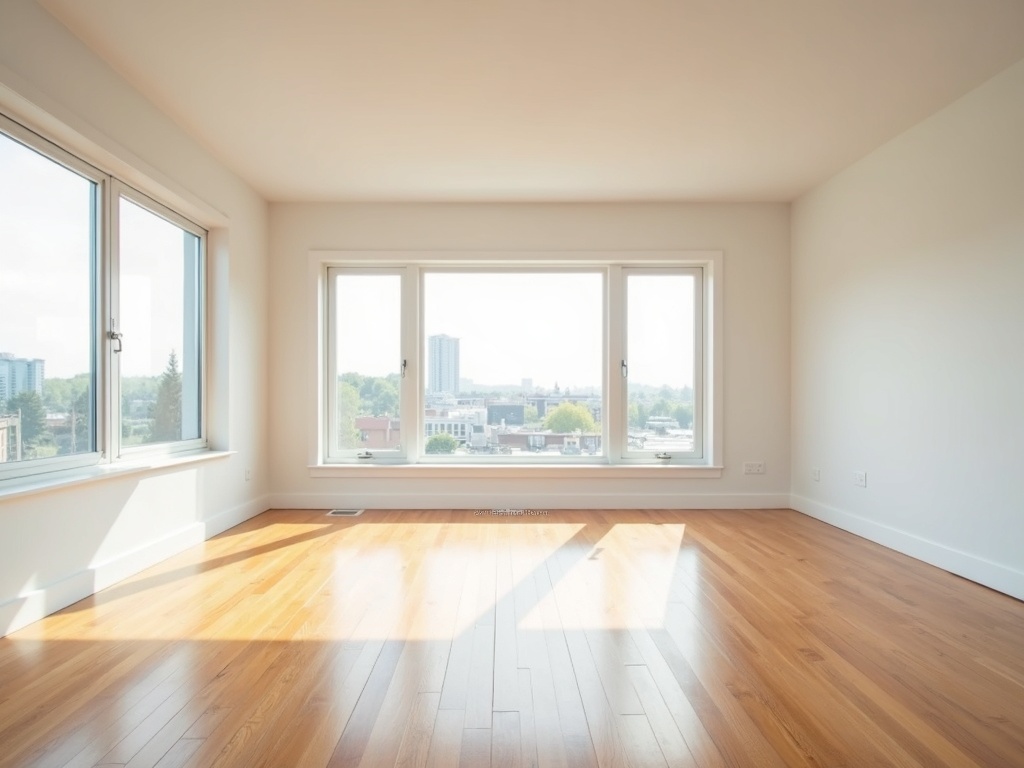
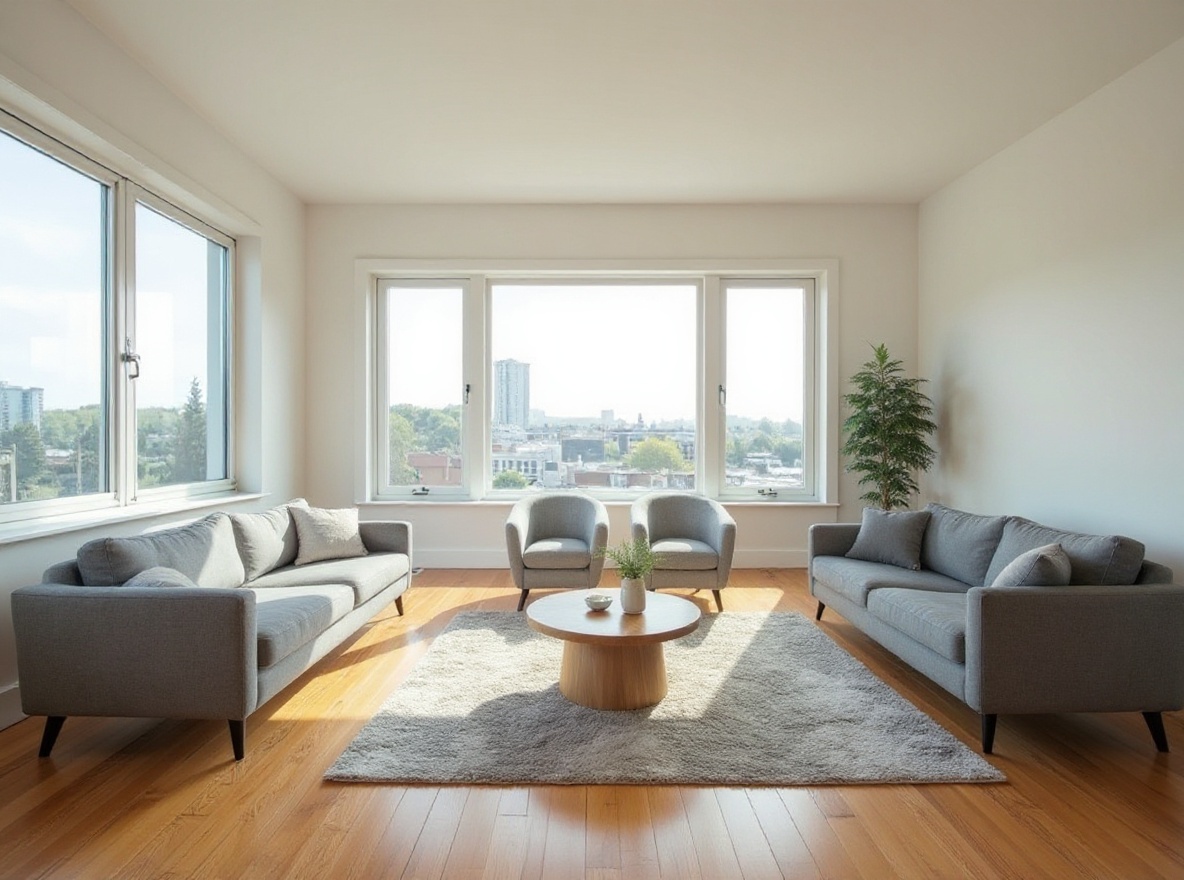 BeforeAfter
How it works
No software, no 3D, no waiting on a designer. Three steps.
Upload your room
A phone photo of the empty or dated room is all you need.
Pick staging or restyle
Add furniture to an empty room, or restyle an existing one. Choose from eight interior styles.
Download in seconds
Get a photorealistic, listing-ready image. Pay per photo, no subscription.
Stage your room
Choose what you want, upload your photo, and pay per image.
JPG or PNG, up to 1 image(s), max 12MB each.
Why realtors and sellers use it
Sell the potential
Staged listings help buyers picture living there. Empty rooms feel smaller and colder.
Per-image, not per-month
Stage one room or a whole listing. No subscription to remember to cancel.
Seconds, not days
No designer, no 3D software, no back-and-forth. Upload and download.
Per-image pricing
Traditional virtual staging runs $30 per image; most AI tools lock you into $16–79 per month. You pay per image.
$5
Stage or redesign a single room. One-time.
$19
A whole listing, staged. One-time.
Money-back
If a result isn't usable, contact us and we'll re-run it or refund you.
Questions
Do I need any software or 3D skills?
No. Room Stager needs nothing beyond a normal phone photo of the room. You upload that photo in your browser, choose virtual staging or interior redesign, pick a style, and download the finished image — there is no design software to install, no 3D modeling, and no floor plans to draw. The whole flow runs on the web page you are already on, so it works the same on a phone or a laptop. This is the point of an AI tool: the work that traditionally needed a stager or a rendering artist is handled for you, which is why you can go from an empty or dated room to a photorealistic, listing-ready result in seconds instead of days.
Is this a subscription?
No. Room Stager is priced per image, not per month, so there is nothing to remember to cancel. One image is $5 and a five-image pack is $19, and both are one-time payments — you can stage a single room or a whole listing and then walk away. This is a deliberate difference from most AI staging tools, which lock you into $16 to $79 per month whether you use them or not. Per-image pricing suits how real estate work actually happens: you pay only when you have a specific listing to stage, and you are never carrying a monthly cost between sales. Traditional virtual staging services typically charge around $30 per image, so the per-image model is also cheaper up front.
Will it keep the room's structure?
Yes. Both virtual staging and interior redesign preserve the room's fixed architecture — the walls, windows, doorways, and floor plan stay as they are in your photo. What changes is the furniture and decor: staging adds furnishings to an empty room, and redesign restyles an existing one into the interior style you choose from the eight available. Keeping the structure intact is what makes the output honest enough for a real estate listing, because the space a buyer sees is the space that exists. It also means the result reads as photorealistic rather than as a generic render, since the AI is dressing your actual room instead of inventing a new one. If a particular result does not hold the structure the way you need, you can re-run it or request a refund.
Can I use it for real estate listings?
Yes. Room Stager is built for realtors, home sellers, and homeowners, and virtually staged photos are commonly used in property listings to help buyers picture living in a space — empty rooms tend to feel smaller and colder, while a staged room shows the potential. The images come out photorealistic and listing-ready, so you can drop them straight into a listing. One important practice: many services and local rules suggest clearly noting that photos are virtually staged, so buyers understand the furniture is a digital addition and not physically present. Because pricing is per image, you can stage a single hero shot or an entire listing at once, and the money-back guarantee applies if any result is not usable.
What if a result isn't usable?
If a result is not usable, contact us and we will either re-run it or refund you — that is the money-back guarantee stated on the page. Because Room Stager is priced per image with no subscription, this keeps the risk on our side rather than yours: you are not locked into a monthly plan, and a single disappointing image does not cost you anything you cannot recover. Re-running is often the fastest fix, since a fresh generation or a different interior style frequently produces a stronger result from the same photo. If it still does not work for your listing, the refund is there. The intent is simple — you should end up with a photorealistic, listing-ready image you are happy to use, or you should not pay for it.